
Visual Schedule Maker for Teens and Adults
Make a picture schedule for everyday adult life: getting ready for work, cooking a meal, taking the bus. Pick a routine, choose the person who looks most like the one you support, and print it free.
Planning for life after school? Autism Transition to Adulthood: A Family Guide by Age →
Making one for a younger child? Use the children’s Visual Schedule Maker →
Not sure where to start? Ask us →
Choose a routineChoose a Routine
Choose from six routines or start blank. Every step shows a grown-up doing it, drawn at their own age. Pick the person who looks most like the one you support, and change any picture or word.

Get Ready for Work or School
Wake up, shower, get dressed, breakfast, lock up

Cook a Simple Meal
Wash hands, chop, cook, stove off, eat, wash up
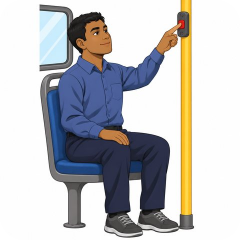
Take the Bus
Check the time, walk to the stop, pay, ride, get off

Evening Self-Care
Shower, teeth, pajamas, charge phone, sleep

Grocery Shopping
Write a list, find your items, pay, carry home

Work or School Day
Arrive, work, break, lunch, ask for help, go home
Start from Scratch
Build your own schedule from a blank template
Your next step, in plain language
Tell us who you are and the schedule maker opens right below. It’s free, and it stays free.
Planning the bigger picture? Autism transition to adulthood: a family guide by age
Edit Your Schedule
Tap a step’s words to change them, or tap its picture to choose another. Move steps up or down, remove them, or add your own. Your schedule saves on this device.
Choose a person
To save a PDF, tap Print and choose “Save as PDF.” Pictures drawn by Special Learning.
A schedule for adult life, drawn at the right age
Teens and adults use schedules too: a list on the fridge, a reminder on a phone. A picture schedule makes each step easy to see and easy to follow without someone saying it. Pick one routine, add, reorder or remove steps, then print it or save it as a picture for a phone. Every step shows a grown-up doing it, and you can choose from five people. Tap a picture to choose another from 54, or tap the words to change them.
Four things that help
- Make it together. Ask which steps the person already does alone and which ones get skipped. Build the schedule around those.
- Put it where the routine happens: the bathroom mirror, the fridge, the front door, or a phone’s lock screen.
- Point, then step back. Point to the picture instead of saying the step, and give a little less help each week.
- Call it their plan. Adults use lists and reminders every day. A schedule is a tool for the person, not a chart about them.
Frequently Asked Questions
A visual schedule is a series of pictures that shows the steps of a routine in order. For teens and adults, it can help with getting ready, cooking, travel, work and self-care, so each step is clear without someone having to say it.
Teens and adults, and the parents, caregivers, teachers and job coaches who support them. The pictures show grown-ups, so the schedule fits the person’s age. For a younger child, use the children’s Visual Schedule Maker.
Go through the schedule together the first few times. Then point to the picture instead of saying the step, and step back a little more each week. The goal is a schedule the person can follow on their own.
Yes, and it stays free. Pick a routine first. A short form then opens before the schedule maker: your role, first and last name, email and country, and your ZIP code if you are in the US. Then change the steps and print.